Trinket closed on August 31, 2026
A Trinket alternative for your classroom
If your class wrote Python or web pages on Trinket, Made in Class does the same job in the browser, free: real Python 3, HTML, CSS and JavaScript with a live preview, classes students join without email, assignments, and a portfolio for everything they publish.
What happened to Trinket?
Trinket, the browser coding site a lot of teachers used for Python and HTML lessons, shut down on August 31, 2026. Its code was released as open source, but the service and the work saved on it are gone. If you're looking for somewhere new to teach, here's an honest look at what Made in Class covers and what it doesn't.
What you used Trinket for, and where it lives now
| You used Trinket for | In Made in Class |
|---|---|
| Python in the browser | Yes. Real Python 3, including input(), multiple files and packages like numpy. Stop always works, even on while True:. |
| HTML, CSS and JavaScript | Yes. Code on the left, the page running live on the right, with a console that points at the line with the error. |
| Python turtle and graphics | Not yet. Python programs print text. For drawing and animation, students use JavaScript and the canvas. |
| Sharing a link to a project | Yes. Publish gives every project its own link and puts it on the student's portfolio, with every version saved. |
| Classes and assignments | Yes. Give everyone a starter project with instructions and a due date, see who's turned in, review each one and send feedback. |
| Ready-made lessons | Yes. The Remix Library: games, art, music and apps, each with an explanation of the code and challenges to try. |
| Google or Clever sign-in | Not yet. Students use a class code and a secret word instead. No student email needed. |
| Embedding projects in another site | No. Student pages can't be framed by other sites. It's part of how we keep them sealed off. |
Moving your class over in about ten minutes
- Make a teacher account with your school email.
- Create a class. It gets a six-character class code with no 0/O or 1/I, so it reads cleanly off a projector.
- Paste in your students' nicknames, one per line. Each gets a secret word like
bluefox27. Use first names or made-up names, not full names. - Print the login cards. Students go to madeinclass.com/class-login, type the code, tap their name and type their secret word.
- Give your first assignment: pick a Library project, or paste your old starter code into a new project and assign that.
The teacher guide walks through each step in more detail.
What's different here
- PortfoliosEverything a student publishes lands on their own page, so the year's work is in one place.
- VersionsEvery publish is saved as v1, v2, v3, with a note about what changed. Any of them can be restored.
- Private by defaultWork is visible to the class only. Just the teacher can make a portfolio public.
- Kids' privacy firstNo full names, no student emails, and under-13s only get an account from a teacher or parent.
Ready-made projects to hand out tomorrow
The whole Remix Library →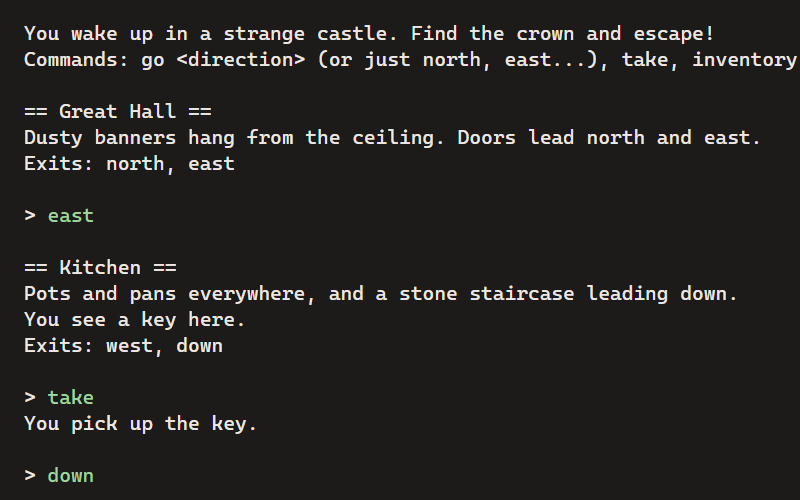
Castle Escape
A text adventure: explore the castle, find the crown, and get out. Type commands to play.
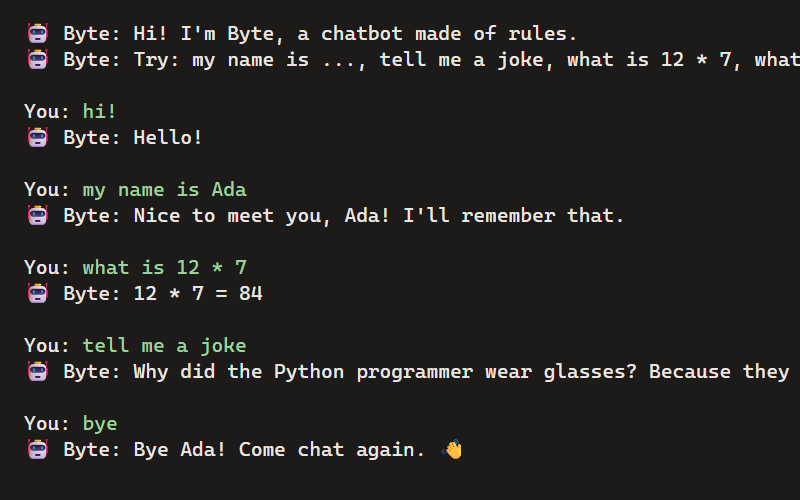
ChatBot Buddy
Build a chatbot from rules: it remembers your name, does math, tells jokes and talks back.
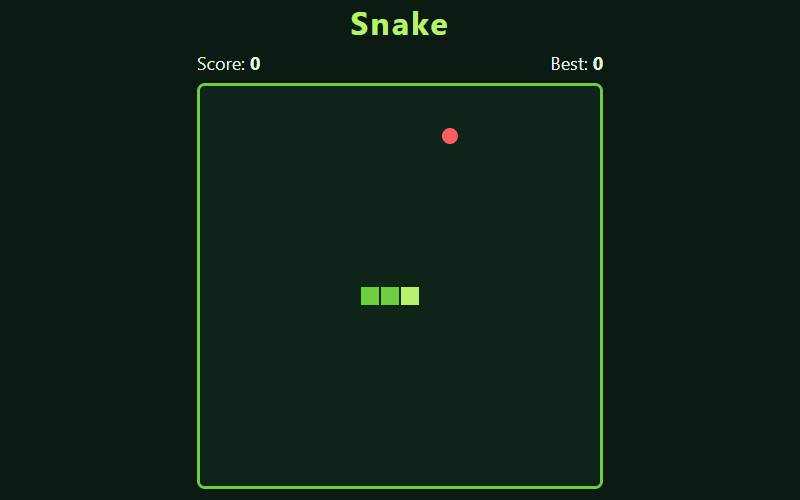
Snake
The classic: eat the food, grow longer, don't bite yourself.
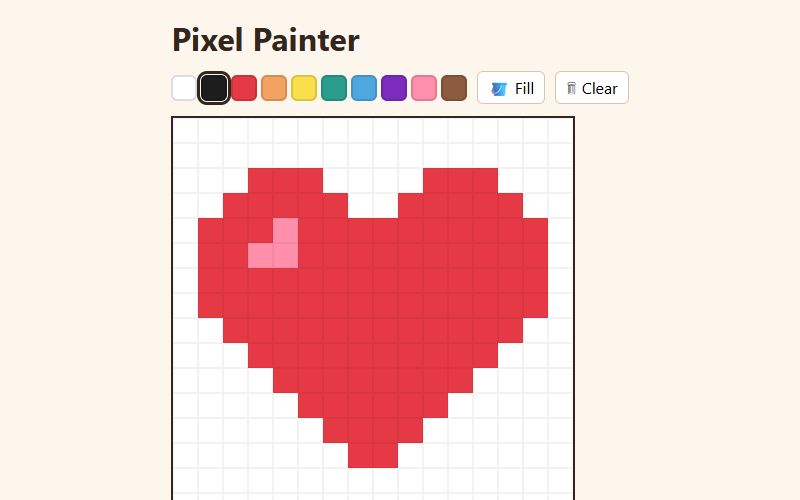
Pixel Painter
A tiny pixel-art editor with a palette, eraser and fill bucket. Your art is saved automatically.
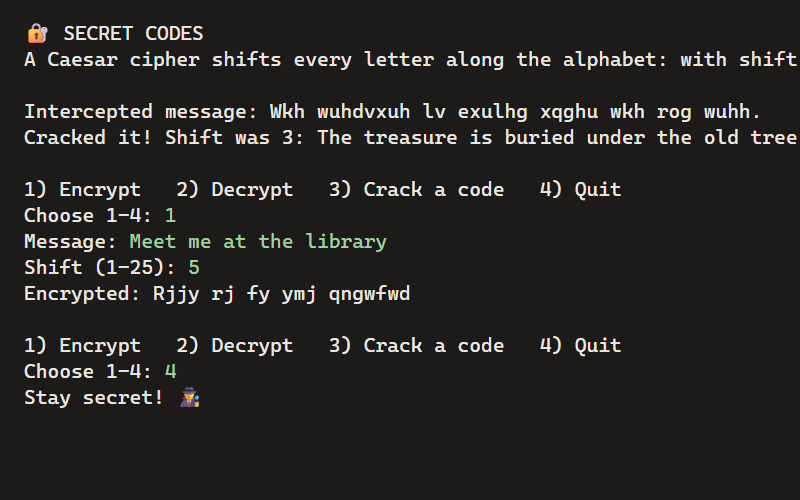
Secret Codes
Encrypt messages with a Caesar cipher, then crack codes without the key, like a real codebreaker.

Fireworks
Click anywhere to launch a firework. Hundreds of glowing particles, a few lines of physics.
Questions
Can I bring my old trinkets over?
Not automatically. Trinket’s content went offline when it closed. If you saved your code, make a new project and paste it in: Python goes in main.py, web code in index.html, style.css and script.js.
Does Python turtle work?
Not yet. Python programs here print text (and ask for input), so turtle lessons need rewriting for now. Text adventures, quizzes, chatbots and text art all work. More about Python →
Is it really free?
Yes. Coding, the Remix Library, classes and assignments are free for teachers, students and families. No ads.
Can students sign in with Google or Clever?
Not yet. Students sign in with a class code, their name and a secret word, so they don’t need an email address at all. You print their login cards from the class page.
Will it work on our Chromebooks?
Yes. It runs in the browser, with nothing to install and no extensions. Chromebook details →
We need a data privacy agreement for the whole district.
Teachers can start on their own today. For school-wide setup and privacy agreements, use the form at the bottom of the home page.
More guides
- Coding on ChromebooksHTML, CSS, JavaScript and Python on school Chromebooks, with nothing to install.
- Python for kidsReal Python 3 in the browser, with games and projects to start from.
- Coding for homeschoolLogins for each kid, work kept private to your family, and a path through the projects.
- The docsEverything else, step by step.
Try it now. It's free.
No install, no credit card. Kids can start as a guest; grown-ups can set up a class or a family in minutes.